
Postgraduate Certificate in Enhancing Productivity with Microsoft Office 365
This certificate equips professionals with advanced Microsoft Office 365 skills to streamline workflows, enhance collaboration, and boost productivity in the workplace.
Postgraduate Certificate in Enhancing Productivity with Microsoft Office 365
Programme Overview
The Postgraduate Certificate in Enhancing Productivity with Microsoft Office is tailored for professionals seeking to maximize their efficiency. This includes individuals who are new to Office and those looking to advance their skills. First, students will learn the basics of Office Then, they will move on to more advanced topics. The course covers a range of tools, including Word, Excel, PowerPoint, and Teams. Additionally, students will explore collaborative features and automation techniques.
Upon completing the course, graduates will gain practical skills to streamline their workflow. They will be ready to apply these skills in real-world settings. The course also prepares students for the Microsoft Office Specialist certification. Ultimately, this course empowers professionals to work smarter, not harder.
What You'll Learn
Ready to supercharge your productivity and stand out in the job market? Our Postgraduate Certificate in Enhancing Productivity with Microsoft Office is designed for you. First, you'll dive into the powerful suite of Office tools. Next, you'll learn to automate tasks, collaborate seamlessly, and boost efficiency. This certificate doesn't just teach software; it transforms how you work.
Moreover, you'll gain hands-on experience with real-world projects. Finally, you'll emerge with a competitive edge. Job opportunities abound in industries ranging from business to education. Meanwhile, our flexible online format accommodates your busy schedule.
Don’t just keep up with technology—master it. Enroll today and unlock your full potential with Microsoft Office
Programme Highlights
Industry-Aligned Curriculum
Developed with industry leaders to ensure practical, job-ready skills valued by employers worldwide.
Expert Faculty
Learn from experienced professionals with real-world expertise in your chosen field.
Flexible Learning
Study at your own pace, from anywhere in the world, with our flexible online platform.
Industry Focus
Practical, real-world knowledge designed to meet the demands of today's competitive job market.
Latest Curriculum
Stay ahead with constantly updated content reflecting the latest industry trends and best practices.
Career Advancement
Unlock new opportunities with a globally recognized qualification respected by employers.
Topics Covered
- Introduction to Microsoft Office 365: Learn the fundamentals of Office 365 and its core applications.
- Advanced Excel for Data Analysis: Master advanced Excel techniques for comprehensive data analysis.
- Efficient Communication with Outlook: Optimize email management and scheduling using Outlook's advanced features.
- Collaborative Workflows with Teams: Explore Microsoft Teams for effective team collaboration and project management.
- Document Management with SharePoint: Implement SharePoint for efficient document storage, sharing, and security.
- Productivity Tools and Automation: Leverage Power Automate and other tools to automate routine tasks and enhance productivity.
Key Facts
### Key Facts
#### Audience
This course is for professionals aiming to boost their skills in Microsoft Office
Individuals who want to enhance productivity in their workplace.
Anyone interested in leveraging Microsoft Office for better efficiency.
#### Prerequisites
Basic computer skills are required.
Familiarity with Microsoft Office suite is beneficial, but not mandatory.
Access to a computer with internet connection to complete course tasks.
#### Outcomes
Learners will actively use Microsoft Office tools to improve productivity.
Participants will gain knowledge of advanced features in Microsoft Office
Students will be able to collaborate more effectively using Microsoft Office
Why This Course
Firstly, gain access to a wide variety of tools. Microsoft Office has many tools. These tools can help you be more productive. You can use them to create documents, spreadsheets and presentations. You can also use them to manage emails and schedule tasks.
Next, take advantage of cloud-based features. Cloud-based features can be accessed from anywhere. This means you can work on the go. Additionally, you can collaborate with others in real-time. This makes teamwork easier and more efficient.
Finally, improve your skills and boost your career. This certificate can help you stand out. You can learn new skills and update your existing ones. This makes you more valuable to employers. It shows that you are committed to professional development.
Programme Title
Postgraduate Certificate in Enhancing Productivity with Microsoft Office 365
Course Brochure
Download our comprehensive course brochure with all details
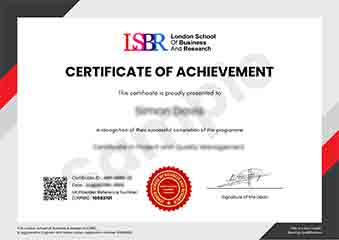
Sample Certificate
Preview the certificate you'll receive upon successful completion of this program.
Pay as an Employer
Request an invoice for your company to pay for this course. Perfect for corporate training and professional development.
What People Say About Us
Hear from our students about their experience with the Postgraduate Certificate in Enhancing Productivity with Microsoft Office 365 at LSBR UK - Executive Education.
James Thompson
United Kingdom"The course content was incredibly comprehensive, covering everything from basic to advanced features of Microsoft Office 365. I gained practical skills that I could immediately apply in my job, such as automating tasks with Power Automate and creating dynamic reports with Power BI, which has significantly boosted my productivity and made me more valuable in my role."
Kavya Reddy
India"This course has been a game-changer for my career. The practical applications of Microsoft Office 365 tools have significantly enhanced my productivity and efficiency in the workplace, making me a more valuable asset to my team. The skills I've developed are directly applicable to my industry, and I've already seen tangible results in my projects and daily tasks."
Oliver Davies
United Kingdom"The course structure was exceptionally well-organized, with each module building logically on the previous one, making complex topics easy to grasp. The comprehensive content not only covered the technical aspects of Microsoft Office 365 but also provided practical insights into real-world applications, significantly enhancing my professional growth and productivity."